Posts

Showing posts with the label UE4

Editor camera position plugin for UE4

Image
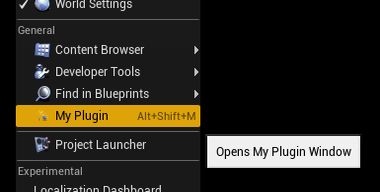
So, I recently made a plugin for Unreal Engine. The idea for this plugin had been popping into my head every time I needed to jump to a certain place in the map in the editor viewport or get the coordinates of my current location in the map.

UE4 plugin template

Image
I've published a template of a plugin for Unreal Engine 4, which might be a valuable boilerplate for writing any new plugin that requires UI in the Engine's Editor. It can be downloaded from here:  https://github.com/zompi2/UE4EditorPluginTemplate

Easy Localization Tool for UE4

Image
  I'd like to present my second published plugin for Unreal Engine 4! What does it do? It simply imports a CSV file with a multiple languages translations and embeds them into the UE4's localization system, so any FText can be localized this way. It also provides functionality of switching languages during gameplay.

Visibility vs Camera trace channels in UE4 confusion

When you perform a collision test in UE4 e.g. via line trace or sphere overlap there are two built in trace channels: Visibility  and Camera . When I was trying to find any information about which channel should I use for specific situations I couldn't find many information. It seems like they are just two channels which can be used for various things without any general definition of when to use one and when another. But recently I've discovered a pattern in Unreal's default objects and this is my approach of how to decide which trace channel to use. Visibility This channels is self explanatory. Invisible objects should ignore the Visibility traces and visible objects should Block or Overlap the Visibility traces. This might be counterintuitive when looking at the following collision presets: Pawn, Character Mesh, Ragdoll. They have the Visibility response set to Ignore . We might think that these objects should block Visibility trace as they represent visible objects.  I...

Useful specifiers for Blueprint - part 2

Image
Since the last post  I've learnt about few another cool specifiers that can help with creating rich Blueprint nodes in C++.

Enhanced Code Flow plugin for UE4

Image
I proudly present my first, finished and well polished plugin for Unreal Engine 4! What does it do? This code plugin provides functions that can drastically improve the quality of life during the implementation of game flow in C++. Basically, if you ever wanted to have an equivalent of Delay Node in your code - you might like this plugin very much.

Remote desymbolication of iOS crash logs from Unreal Engine 4 games

Let's get straight to the point. You are developing an iOS game with Unreal Engine 4. Let's assume you are using a remote Mac machine to build the game (just like in this post ). And the game crashes for unknown reasons. How to deal with it?

Useful specifiers for Blueprint nodes generation

Image
Here I wanted to show you some useful UE4 specifiers used in functions, properties and classes declarations which helped me writing cleaner and more user friendly code and BP nodes. 

Updating actors in the editor in Unreal Engine 4

Image
Did you know that you can tick actors inside the editor viewport? It can be useful if you want to visualize how the moving actor will look and feel on the scene without even playing the game. And it is really easy to do!

Using Unreal Engine 4 Marketplace on Linux

Image
One of the biggest problem when developing on Linux with Unreal Engine 4 is the absence of Epic Games Launcher and Marketplace. The Engine itself can be built from source, but there is no source code for the Launcher. Luckily, there is a solution for that and it’s name is Lutris . Lutris is a platform which installs and runs games and applications using emulators and compatibility layers using the best possible configurations. In other words – it makes installing games using Wine much, much easier. Here’s my approach in using Lutris to download content from the UE4 Marketplace.

Unreal Engine 4 Automation Tests New API

Image
While digging in the UE4.22 source code I found some strange files with *.spec.cpp extension. You can find them in Plugins/Online/OnlineSubsystem/Source/Test directory. They appears to be used for Automation Tests, but their API looks odd, completely different than the documented one. I was trying to find any informations about them, but without success, so… I researched this new way of writing tests and I must say it is much more convenient and professional than the old one. In this article I will show some simple tests written using the old Automation Tests and their equivalents written using the new API. Edit 25.07.2019 – Epic gave us an official documentation for Automation Spec here . But I still recommend this article to compare side by side an old system with a new one.

Starting an adventure with Unreal Engine 4

Image
Ok, "what are you doing?" you’ll probably ask. This has already been on this blog! Do I have no any new topics to cover so I dig out an almost 3 years old topic? Well, I decided to rewrite this entry exactly because it is almost 3 years old and Unreal Engine 4 changed a lot. What’s more, my experience grew up and my opinions and approaches to many things changed too. This article is aimed to people who want to start working with Unreal Engine 4 but is overwhelmed by the sheer amount of online tutorials and simply don’t know where to start. I just want to share you the collection of articles and tutorials that helped me the most with learning UE4. I can’t decide between Unreal Engine 4 and Unity. Which one is better? There is no simple answer to this question (especially when you don’t want to start a flame war). Both engines are mature and have impressive portfolio of released games made with them. I think, that I will simply tell one, in my opinion the most important, m...

Running Unreal Engine 4 Plugin’s code in didFinishLaunchingWithOptions on iOS

Now, that’s a long title! Some time ago I faced a very specific problem when implementing a third party iOS SDK into Unreal Engine 4. The SDK required to run its initializing function inside the didFinishLaunchingWithOptions method. Usually when handling application lifecycle events Unreal Engine 4 uses delegates from FCoreDelegates class like ApplicationWillEnterBackgroundDelegate or ApplicationWillTerminateDelegate . But didFinishLaunchingWithOptions is one of the first methods that runs after the app is launched and at this point Unreal Engine 4 is not initialized yet. Delegates and plugins will not work! We could modify the engine’s source code and paste the SDK’s code into the ApplicationCore module but this would be a terrible solution as all third party SDKs should be handled by plugins. Here I’d like to show a solution to this problem. The idea is to create a static observer which will be initialized before the app launch and that can react to the didFinishLaunchingWithOp...

Reducing build size of Android game in Unreal Engine 4

Unreal Engine 4 is considered to be a big, bulky engine that generates a lot of data and has huge build sizes. Such feature might be a serious issue when making a mobile game. Here are few steps to do at the beginning of Android development in UE4 to avoid problems with enormous build sizes.

Multiplatform Plugins in Unreal Engine 4

Image
Long time ago I wrote an article about adding a multiplatform runtime module to the Unreal Engine 4. This day that article would be complately out of date. UE4 changed and the way the new stuff can be added to it changed too. First of all, I want to be clear – this article will not cover 100% of the topic, because it’s simply too broad. This is rather a quick start into writing your own plugins, getting know the basics. This article will cover the following topics: Creating a plugin Building a plugin Making a plugin that works differently,  depending on the platform Using the plugin from C++ Using the plugin from Blueprints Creating a plugin settings editable from the Editor Calling asynchronous functions from Blueprints When writing this article I was using the Unreal Engine 4.18.1. For the lazy ones – here’s the github source code version. So, with all of this in mind – let’s start!

Symbolicating crash dumps for Android in Unreal Engine 4

Image
Do you know what is more annoying than a crash? A crash that you don’t know how to track down. You are praying for not being in a situation where no debugger is attached or there is no crash log. Sadly – this is a very common situation when you are working with the external engine, on a mobile device. Android c++ crash logs are even more nasty, because of their binary format. In fact – they are minidumps, the same format the Microsoft is using for dumping Windows crash data. To encrypt the Android’s minidumps you need to do some voodoo with Google Breakpad .

Multidexing in Unreal Engine 4

Image
When your app is growing, also its needs. Google Play, Facebook, analytics systems, advertising, crash reporters and more are put into the build and at some point the infamous “64k methods” problem occurs. Why? According to the Android Developer’s User Guide : "Android application (APK) files contain executable bytecode files in the form of Dalvik Executable (DEX) files, which contain the compiled code used to run your app. The Dalvik Executable specification limits the total number of methods that can be referenced within a single DEX file to 65,536 — including Android framework methods, library methods, and methods in your own code."

GIC 2016 lectures

So,.. I was at the Game Industry Conference in Poznań and I was lecturing about Unreal Engine 4 on mobiles. Because some of the attendants were asking about the presentation to download here is the link: Unreal Engine 4 and mobiles, so how does it work? Also I’d like to thank all of you for been there. And for the votes. You are awesome!

Building iOS game in Unreal Engine 4 via remote machine

Image
In Unreal Engine 4 to build a source code for the iOS the Mac computer with installed Xcode is needed. If you are working for other platforms too, having two machines with separate projects might be troublesome. Or maybe you cannot afford buying a Mac for every working station? You can start a building process on the PC with Windows which will send the source code to the Mac computer, compile the code there, get the results and finish cooking and packaging the ipa on PC. How to do this? Here are the instructions!

Unreal Engine 4 – Debugging on Android

Image
Debugging is the prose of life for every programmer. In Unreal Engine 4 there are many tools for debugging and profiling a game on Windows and Mac. Even for iOS, the XCode is a fine tool for nice bug hunting. But the Android was always… odd. For a long time the logcat was the only source of information about what is going inside the Unreal Engine game and it was always frustrating when something is crashing on device only. Theoretically, if something works in the editor it should works on the device too, but… this is theory and practice shows something completely different ;)